
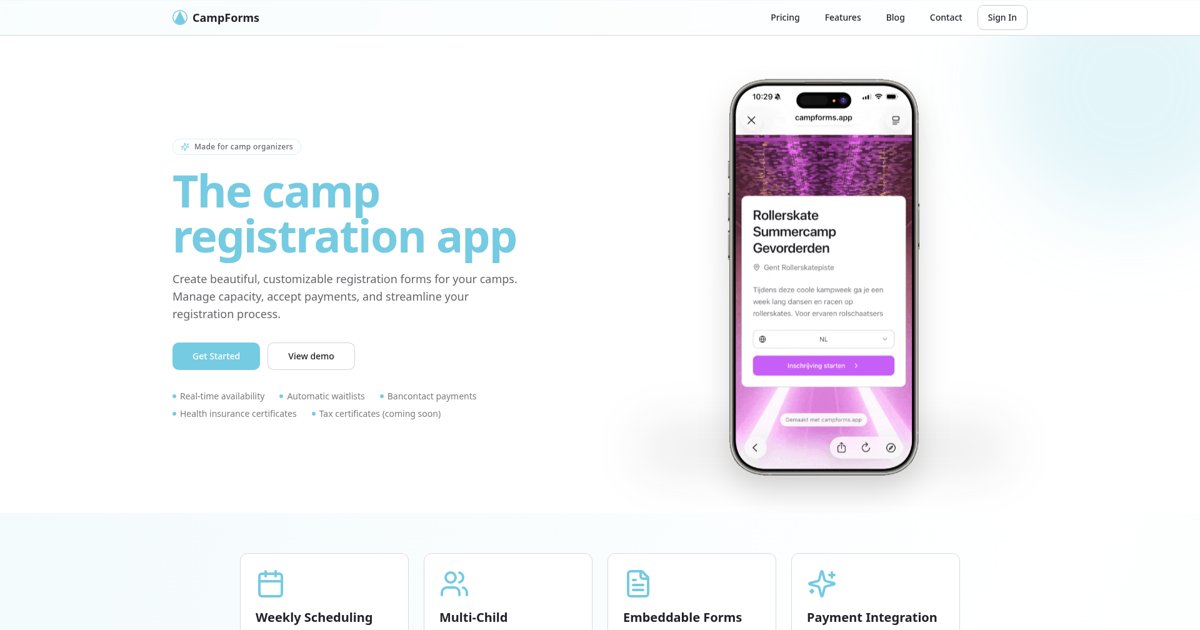
A children’s camp ticket sales system should do more than take a payment. It needs to connect each child to the right session, keep track of available places and give parents a clear booking confirmation. For many camps, a dedicated registration system is a better fit than a general event ticketing tool.
The distinction matters when a parent books two children, selects different weeks or pays a deposit. A single order total does not tell your team who is attending, which dates they chose or what is still outstanding. This guide explains what to check before selecting a system.
Ticketing or registration: which does your camp need?
General ticketing is useful when you mainly sell admission to an event. A camp booking usually needs a participant record: the child’s details, parent contact information, selected dates and any relevant answers collected during registration.
If you need QR-code admission checks or scanned entry tickets, verify that feature separately with the provider. CampForms focuses on camp registration and administration; it should not be treated as a QR-ticket scanning system.
1. Count children, not just orders
One parent booking for three children uses three places. Your system should preserve a separate participant record for each child while keeping the parent’s contact information together. This makes later changes, attendance preparation and individual certificates easier to manage.
- Can a parent register more than one child in a single form?
- Is the period selected for each participant clear?
- Does the organiser receive a usable participant list rather than just a list of purchasers?
- Can staff find the parent’s contact details without collecting a child’s email address?
2. Match capacity to what you actually sell
A week-long camp, an individual activity day and a seven-session course are different booking products. Set capacity for the bookable period rather than one vague total for the entire season.
For example, seven Sundays sold together as one course need a shared capacity and one package price. Parents should not have to choose seven unrelated tickets to buy that package. Conversely, separate activity days may need separate capacities and prices.
When a period fills up, a waiting list can record interest without promising a place. In CampForms, organisers follow up and convert waiting-list requests themselves when space becomes available; automatic promotion should not be assumed.
3. Keep booking and payment information understandable
A submitted form is not proof of a successful payment. Look for a system that receives the payment provider’s confirmed result and associates it with the correct registration.
CampForms supports payments through Mollie and Stripe. Available payment methods depend on the provider and account configuration. For Belgian families, Bancontact through Mollie can be relevant; check that it is enabled for your account before advertising it.
Run through both a successful test payment and an interrupted checkout. Confirm that your team can identify an unpaid registration and avoid creating a second booking just because a parent closed the payment window.
4. Check deposits and balance collection
If families pay in stages, the total booking value and the amount already paid need to remain visible separately. You also need a clear way to request and follow up the balance.
CampForms supports a per-child deposit through Mollie, with an optional choice to pay in full. Organisers can track the remaining balance and send payment links. The deposit feature is Mollie-specific; Stripe registrations charge the full amount. Sending a balance link does not mean the balance has been collected.
5. Collect only the information you need
Parents should understand why you are asking for each detail. Keep required questions focused on managing participation and contact. Where medical information is necessary, restrict who can access it and avoid including it in ordinary public lists.
For camps operating in the EU, the European Commission’s data protection guidance is a useful starting point. Buying software does not remove an organiser’s responsibility to handle personal data appropriately.
6. Test the parent journey, not just the organiser dashboard
- Open the form on a phone and check whether dates and prices are easy to read.
- Register two children and inspect the summary before payment.
- Try leaving a required answer empty and check the message shown.
- Use the test payment environment, then review the registration and confirmation.
- Try a full period with the waiting list enabled.
- Export a participant list and confirm it contains the fields your team needs.
What to compare when budgeting
Separate the software subscription from payment-processing fees. Also check registration limits, the features included in each plan and whether your team needs multiple-user access. CampForms does not charge commission on registrations, but payment-provider fees still apply.
Do not choose solely on the lowest headline price. An inexpensive ticket tool that requires separate family forms and manual payment matching may not fit your workflow.
A practical starting point
Write down three things before you compare systems: what parents book, what your staff must know about each child and how payments should work. Then test those exact situations instead of relying on a feature list.
Explore CampForms registration features and pricing to see whether its family forms, capacity management and payment follow-up fit your camp. For payment-method details, consult Mollie’s Bancontact documentation.